No gates. No tickets.
Just scan and pay.
It feels different the first time — no arm, no ticket, no machine. You park, scan the sign, and pay from your phone in seconds. Here's exactly what's happening, and exactly how you know your payment went through.
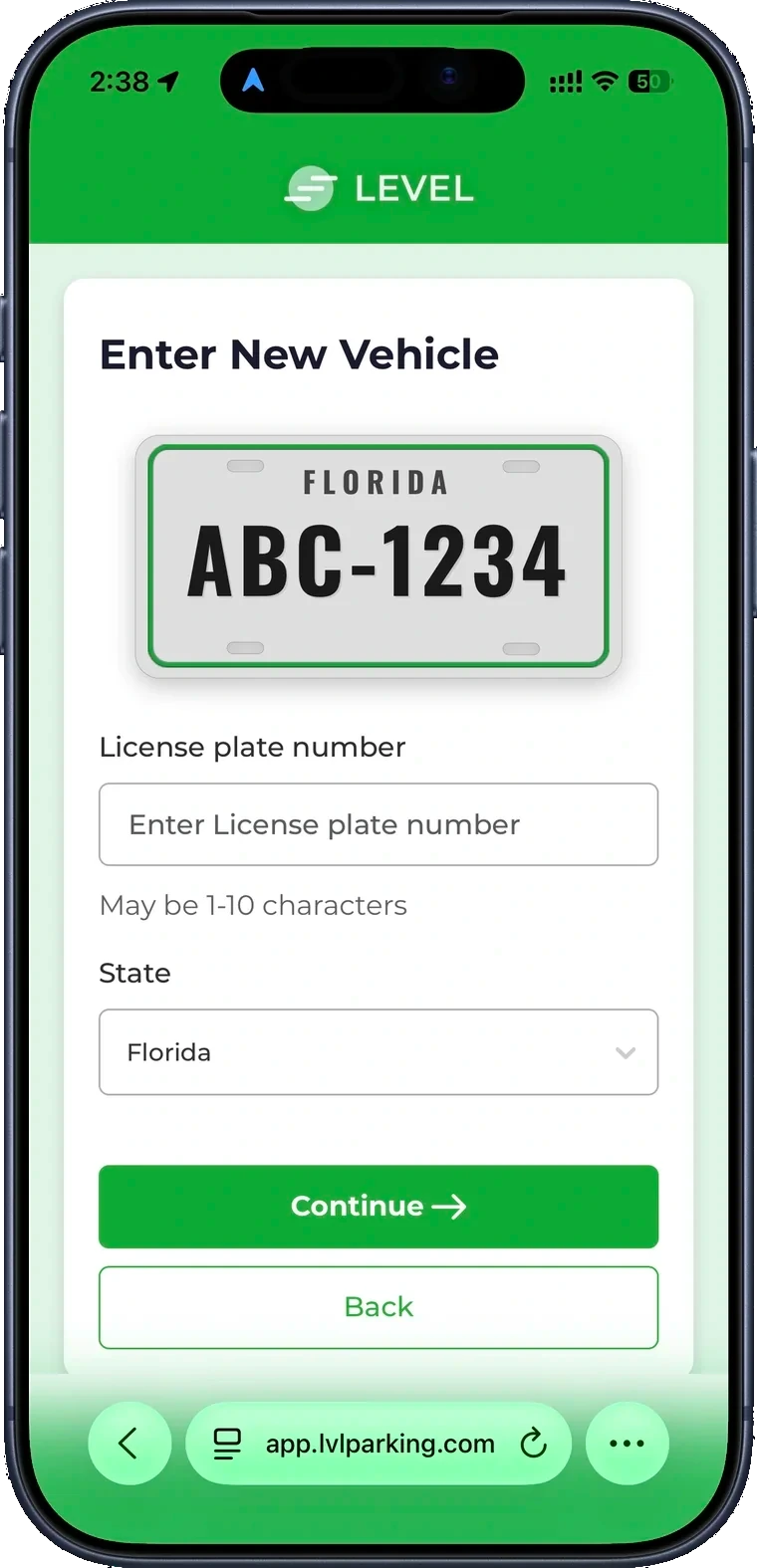
Four steps, about a minute.
There's nothing to install and no account to create. Just your plate and your phone.
Pull into any open spot. No gate arm, no ticket to pull, no machine to find. Just park like you normally would.
As you enter and leave, our cameras read your license plate — plates, not faces. That plate is how the lot knows your car is there.
Scan the sign to check out and see your price. Your visit is tied to your plate, so there's no code to remember.
Enter your plate, see the price, and pay from your phone in seconds. No account required. You'll see a confirmation the moment it goes through.
Two things tell you you're done.
No guessing, no anxiety in the parking lot. When your payment lands, it's clear — and it's saved.
- A confirmation appears on screen the instant your payment goes through.
- A receipt is sent to you and saved to your visit — so you can pull it up later.
- Your plate is marked paid for this visit. That's the whole transaction, finished.
- No confirmation means it didn't go through — so there's never a silent miss.
That's the rule of thumb: if you saw the confirmation, you're done. You can drive off without a second thought.
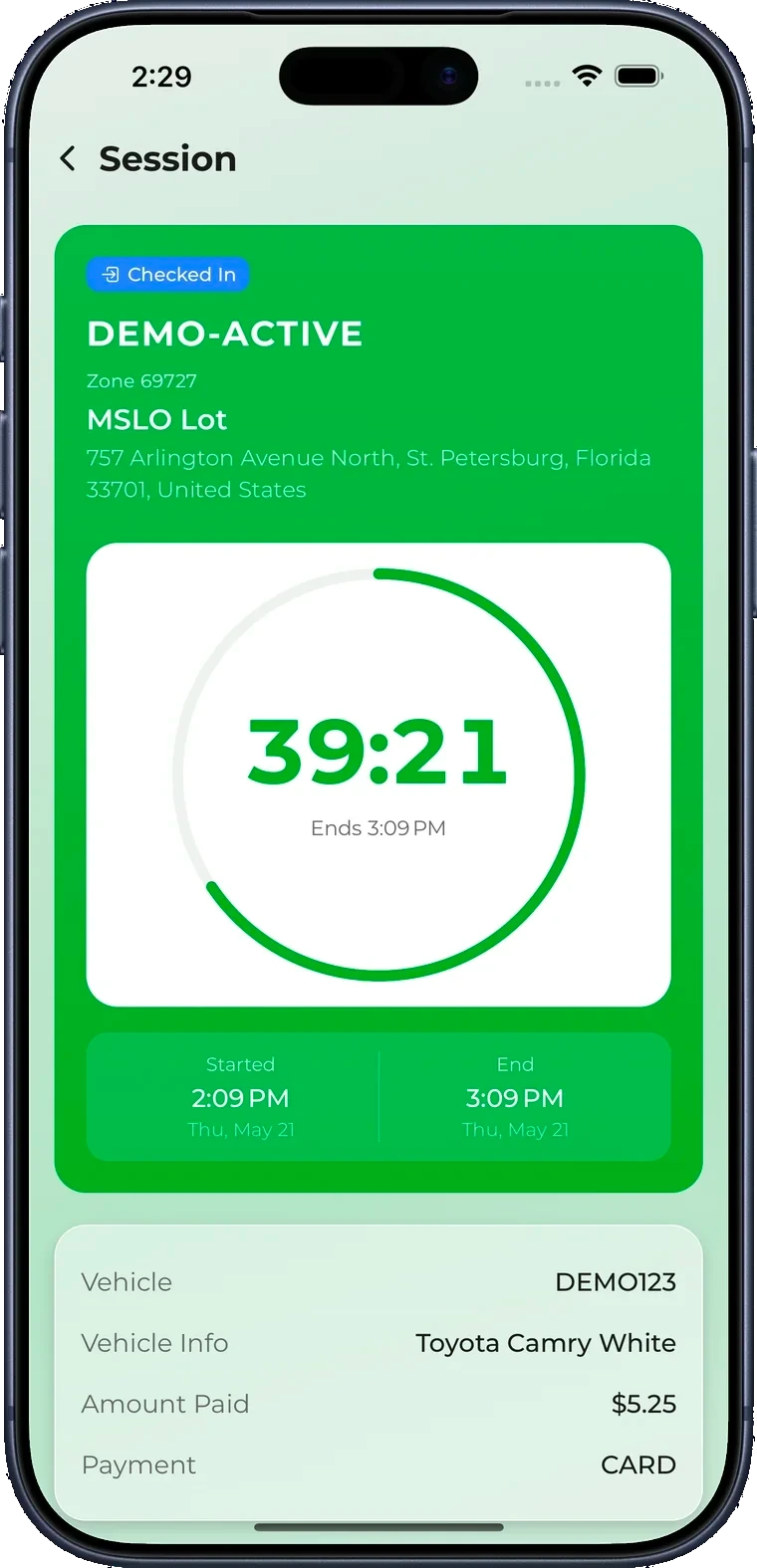
You don't need the app. But it helps.
Paying works straight from your phone's browser. The app just keeps everything in one place.
- Nothing to download or sign up for.
- Enter your plate, see the price, pay, done.
- Receipt sent to you for every visit.
- Save your plate and payment so it's one tap next time.
- Extend your time without walking back to the car.
- Every receipt and active session in one place — plus Spots rewards.
The things people ask the first time.
How do I know I actually paid?+
The moment your payment goes through, you see a confirmation on screen and get a receipt sent to you. Your plate is now marked paid for this visit — that's the whole job done. If you didn't see a confirmation, the payment didn't complete, so just try again.
What if I forget to pay before I leave?+
Pay from your phone as soon as you park — scan the sign or use the app. If you do pull out first, your visit is still tied to your plate, so you can pay shortly after from the sign or a text reminder. Pay promptly and you're all set.
I lost my receipt — can I get it again?+
Yes. Pay from your phone again with the same plate and you'll see your visit and receipt, or sign in to the app to find every receipt in one place. Nothing is tied to a paper ticket you have to keep.
How is my plate used? Is this watching me?+
We read plates, not faces. Your plate is used to connect your car to this one parking visit and your payment — that's it. It's how a gateless lot works without a ticket. We don't sell it, and you can ask us about your data anytime.
Can I add more time if I'm staying longer?+
Yes. Open the app or pay from your phone again and extend your time right from your phone — no need to walk back to your car or find a machine.
Something looks wrong — how do I dispute a charge?+
Reach out and we'll look into it with you. Because every visit is matched to your plate and timestamped, it's easy for us to pull up exactly what happened and make it right if there's an error.
Just park, scan, and pay.
Find a Level Parking spot near you and pay from your phone in seconds.